
Autodelist sold items the moment they sell
Crosslist® automatically removes sold items across your connected marketplaces so you never oversell. Try risk-free with our 3-day money-back guarantee.




Autodelist sold items the moment they sell
Crosslist® automatically removes sold items across your connected marketplaces so you never oversell. Try risk-free with our 3-day money-back guarantee.
Autodelist sold items the moment they sell
Crosslist® automatically removes sold items across your connected marketplaces so you never oversell. Try risk-free with our 3-day money-back guarantee.

Autodelist sold items the moment they sell
Crosslist® automatically removes sold items across your connected marketplaces so you never oversell. Try risk-free with our 3-day money-back guarantee.
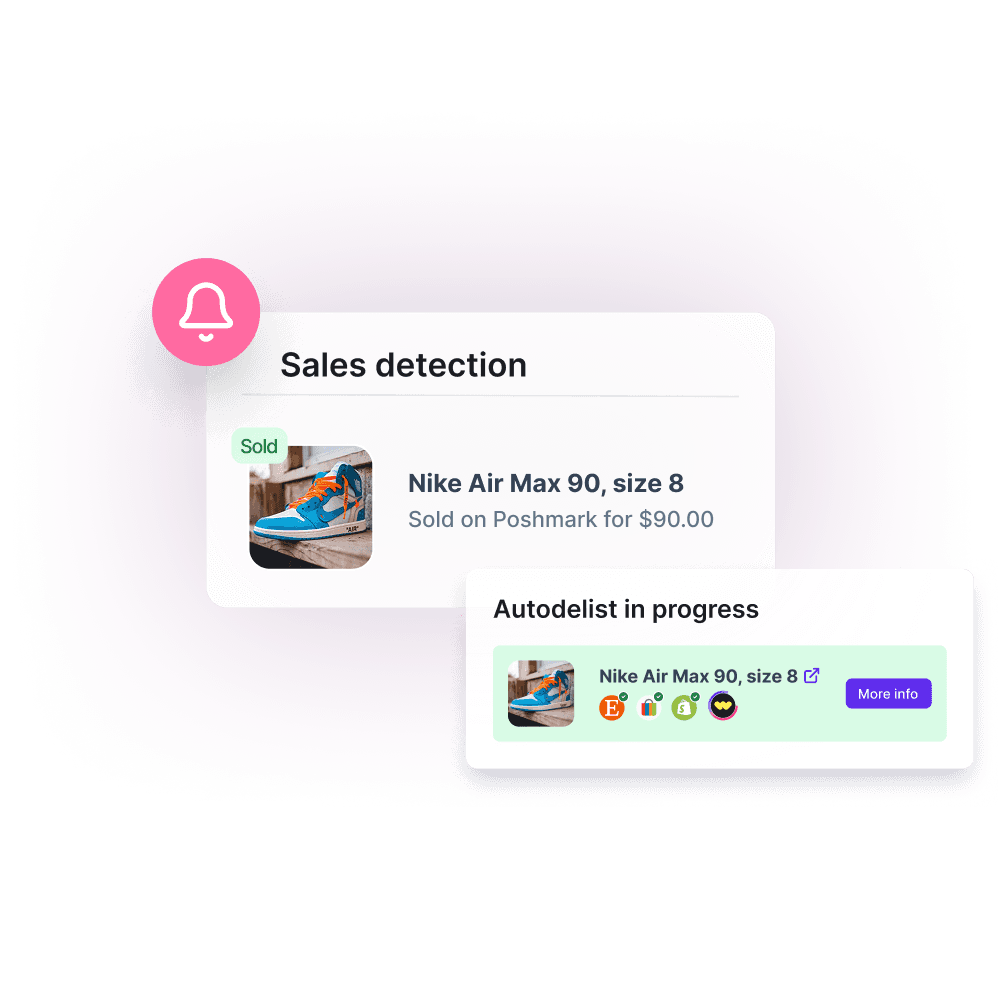
Autodelist sold items the moment they sell
Crosslist® automatically removes sold items across your connected marketplaces so you never oversell. Try risk-free with our 3-day money-back guarantee.

How this feature works
Crosslist® watches your connected marketplaces and removes a listing everywhere else the moment it sells, so your inventory stays accurate without you lifting a finger.
No more hunting down sold items, no more double sales and no more cancellations. Turn it on for the marketplaces you choose and Crosslist® keeps your listings in sync in the background.
At a glance...
Delist automatically the moment an item sells anywhere
Prevent overselling across your connected marketplaces
Keep your inventory accurate without manual cleanup
Protect your seller rating by avoiding cancelled orders
"Every item that has been sold, has been delisted succesfully. I'm impressed and excited to share with other sellers!"

Chase F.
Source: Trustpilot
How this feature works
Crosslist® watches your connected marketplaces and removes a listing everywhere else the moment it sells, so your inventory stays accurate without you lifting a finger.
No more hunting down sold items, no more double sales and no more cancellations. Turn it on for the marketplaces you choose and Crosslist® keeps your listings in sync in the background.
At a glance...
Delist automatically the moment an item sells anywhere
Prevent overselling across your connected marketplaces
Keep your inventory accurate without manual cleanup
Protect your seller rating by avoiding cancelled orders
"Every item that has been sold, has been delisted succesfully. I'm impressed and excited to share with other sellers!"
Chase F.
Source: Trustpilot
How this feature works
Crosslist® watches your connected marketplaces and removes a listing everywhere else the moment it sells, so your inventory stays accurate without you lifting a finger.
No more hunting down sold items, no more double sales and no more cancellations. Turn it on for the marketplaces you choose and Crosslist® keeps your listings in sync in the background.
At a glance...
Delist automatically the moment an item sells anywhere
Prevent overselling across your connected marketplaces
Keep your inventory accurate without manual cleanup
Protect your seller rating by avoiding cancelled orders
"Every item that has been sold, has been delisted succesfully. I'm impressed and excited to share with other sellers!"
Chase F.
Source: Trustpilot
How this feature works
Crosslist® watches your connected marketplaces and removes a listing everywhere else the moment it sells, so your inventory stays accurate without you lifting a finger.
No more hunting down sold items, no more double sales and no more cancellations. Turn it on for the marketplaces you choose and Crosslist® keeps your listings in sync in the background.
At a glance...
Delist automatically the moment an item sells anywhere
Prevent overselling across your connected marketplaces
Keep your inventory accurate without manual cleanup
Protect your seller rating by avoiding cancelled orders
"Every item that has been sold, has been delisted succesfully. I'm impressed and excited to share with other sellers!"
Chase F.
Source: Trustpilot
Why the autodelist feature is a game changer
Let Crosslist® handle the cleanup. Sold items come down automatically so you never oversell and your store always reflects what's actually available.
"It felt like magic when I woke up and the item was delisted on other sites when it was sold. I don't have to worry about double selling anymore"

Sarah L.
Source: Trustpilot
Why the autodelist feature is a game changer
Let Crosslist® handle the cleanup. Sold items come down automatically so you never oversell and your store always reflects what's actually available.
"It felt like magic when I woke up and the item was delisted on other sites when it was sold. I don't have to worry about double selling anymore"
Sarah L.
Source: Trustpilot
Why the autodelist feature is a game changer
Let Crosslist® handle the cleanup. Sold items come down automatically so you never oversell and your store always reflects what's actually available.
"It felt like magic when I woke up and the item was delisted on other sites when it was sold. I don't have to worry about double selling anymore"
Sarah L.
Source: Trustpilot
Why the autodelist feature is a game changer
Let Crosslist® handle the cleanup. Sold items come down automatically so you never oversell and your store always reflects what's actually available.
"It felt like magic when I woke up and the item was delisted on other sites when it was sold. I don't have to worry about double selling anymore"
Sarah L.
Source: Trustpilot
Before and after using Crosslist®'s autodelist
See the difference and how it helps you grow.
Without autodelist
Manually remove sold items everywhere
Risk selling items you no longer have
Field cancellations and refund requests
Watch your seller rating take hits
Check listings constantly for sold stock
Hours wasted on repetitive cleanup
Result: manual, risky, time-consuming
With autodelist
Sold items come down automatically
Never oversell across marketplaces
Avoid cancellations and refunds
Keep your seller rating strong
Inventory stays accurate on its own
Hands-off cleanup that runs for you
Result: automatic, safe, effortless
All the features Crosslist® has to offer
Cross listing
Transfer your listings between 11+ marketplaces in just a few clicks
One universal form
Create your listing once, then publish to all major marketplaces
Create listings with AI
Upload a photo and let AI create your entire listing in a few seconds
Autoposting
Publish listings in the background, while you work on other tasks
Delist & relist
Delist and relist with one click to keep your listings fresh and visible
Mobile app
List, edit, and manage your inventory directly from your phone.
Autodelisting
Automatically delist sold listings to avoid overselling
Sales analytics
Visualize sales, revenue, and profit in one clear dashboard
AI-powered pricing
Use AI to suggest the right price based on real-time market insights
Background remover
Remove unlimited photo backgrounds for polished listings
AI photo editor
Polish and edit your photos so that your listings stand out and sell faster
Shipping profiles
Set shipping profiles per marketplace and ship how you want
Listing templates
Create reusable listing templates to list faster and stay consistent
Price adjustments
Set different prices or markups for each marketplace to maximize profit
Bulk actions
Bulk edit listings to easily adjust prices, titles, descriptions and more
Update listings
Push edits to your listings across multiple marketplaces in one click
Smart organization
Easily organize your inventory with custom tags and powerful filters
Global presence
Transfer your listings between 11+ marketplaces in just a few clicks
CSV import and export
Import and export your listings as CSV files
Sales detection
Detect sold items automatically across all marketplaces
AI customization
Customize how AI creates your listings to match your style
“There are so many features I’ve yet to explore, and I know they’ll help my business grow even more.”

Craig R.
Bulk Lot Seller
Before and after using Crosslist®'s autodelist
See the difference and how it helps you grow.
Without autodelist
Manually remove sold items everywhere
Risk selling items you no longer have
Field cancellations and refund requests
Watch your seller rating take hits
Check listings constantly for sold stock
Hours wasted on repetitive cleanup
Result: manual, risky, time-consuming
With autodelist
Sold items come down automatically
Never oversell across marketplaces
Avoid cancellations and refunds
Keep your seller rating strong
Inventory stays accurate on its own
Hands-off cleanup that runs for you
Result: automatic, safe, effortless
All the features Crosslist® has to offer
Cross listing
Transfer your listings between 11+ marketplaces in just a few clicks
One universal form
Create your listing once, then publish to all major marketplaces
Create listings with AI
Upload a photo and let AI create your entire listing in a few seconds
Autoposting
Publish listings in the background, while you work on other tasks
Delist & relist
Delist and relist with one click to keep your listings fresh and visible
Mobile app
List, edit, and manage your inventory directly from your phone.
Autodelisting
Automatically delist sold listings to avoid overselling
Sales analytics
Visualize sales, revenue, and profit in one clear dashboard
AI-powered pricing
Use AI to suggest the right price based on real-time market insights
Background remover
Remove unlimited photo backgrounds for polished listings
AI photo editor
Polish and edit your photos so that your listings stand out and sell faster
Shipping profiles
Set shipping profiles per marketplace and ship how you want
Listing templates
Create reusable listing templates to list faster and stay consistent
Price adjustments
Set different prices or markups for each marketplace to maximize profit
Bulk actions
Bulk edit listings to easily adjust prices, titles, descriptions and more
Update listings
Push edits to your listings across multiple marketplaces in one click
Smart organization
Easily organize your inventory with custom tags and powerful filters
Global presence
Transfer your listings between 11+ marketplaces in just a few clicks
CSV import and export
Import and export your listings as CSV files
Sales detection
Detect sold items automatically across all marketplaces
AI customization
Customize how AI creates your listings to match your style
“There are so many features I’ve yet to explore, and I know they’ll help my business grow even more.”
Craig R.
Bulk Lot Seller
Before and after using Crosslist®'s autodelist
See the difference and how it helps you grow.
Without autodelist
Manually remove sold items everywhere
Risk selling items you no longer have
Field cancellations and refund requests
Watch your seller rating take hits
Check listings constantly for sold stock
Hours wasted on repetitive cleanup
Result: manual, risky, time-consuming
With autodelist
Sold items come down automatically
Never oversell across marketplaces
Avoid cancellations and refunds
Keep your seller rating strong
Inventory stays accurate on its own
Hands-off cleanup that runs for you
Result: automatic, safe, effortless
All the features Crosslist® has to offer
Cross listing
Transfer your listings between 11+ marketplaces in just a few clicks
One universal form
Create your listing once, then publish to all major marketplaces
Create listings with AI
Upload a photo and let AI create your entire listing in a few seconds
Autoposting
Publish listings in the background, while you work on other tasks
Delist & relist
Delist and relist with one click to keep your listings fresh and visible
Mobile app
List, edit, and manage your inventory directly from your phone.
Autodelisting
Automatically delist sold listings to avoid overselling
Sales analytics
Visualize sales, revenue, and profit in one clear dashboard
AI-powered pricing
Use AI to suggest the right price based on real-time market insights
Background remover
Remove unlimited photo backgrounds for polished listings
AI photo editor
Polish and edit your photos so that your listings stand out and sell faster
Shipping profiles
Set shipping profiles per marketplace and ship how you want
Listing templates
Create reusable listing templates to list faster and stay consistent
Price adjustments
Set different prices or markups for each marketplace to maximize profit
Bulk actions
Bulk edit listings to easily adjust prices, titles, descriptions and more
Update listings
Push edits to your listings across multiple marketplaces in one click
Smart organization
Easily organize your inventory with custom tags and powerful filters
Global presence
Transfer your listings between 11+ marketplaces in just a few clicks
CSV import and export
Import and export your listings as CSV files
Sales detection
Detect sold items automatically across all marketplaces
AI customization
Customize how AI creates your listings to match your style
“There are so many features I’ve yet to explore, and I know they’ll help my business grow even more.”
Craig R.
Bulk Lot Seller
Before and after using Crosslist®'s autodelist
See the difference and how it helps you grow.
Without autodelist
Manually remove sold items everywhere
Risk selling items you no longer have
Field cancellations and refund requests
Watch your seller rating take hits
Check listings constantly for sold stock
Hours wasted on repetitive cleanup
Result: manual, risky, time-consuming
With autodelist
Sold items come down automatically
Never oversell across marketplaces
Avoid cancellations and refunds
Keep your seller rating strong
Inventory stays accurate on its own
Hands-off cleanup that runs for you
Result: automatic, safe, effortless
All the features Crosslist® has to offer
Cross listing
Transfer your listings between 11+ marketplaces in just a few clicks
One universal form
Create your listing once, then publish to all major marketplaces
Create listings with AI
Upload a photo and let AI create your entire listing in a few seconds
Autoposting
Publish listings in the background, while you work on other tasks
Delist & relist
Delist and relist with one click to keep your listings fresh and visible
Mobile app
List, edit, and manage your inventory directly from your phone.
Autodelisting
Automatically delist sold listings to avoid overselling
Sales analytics
Visualize sales, revenue, and profit in one clear dashboard
AI-powered pricing
Use AI to suggest the right price based on real-time market insights
Background remover
Remove unlimited photo backgrounds for polished listings
AI photo editor
Polish and edit your photos so that your listings stand out and sell faster
Shipping profiles
Set shipping profiles per marketplace and ship how you want
Listing templates
Create reusable listing templates to list faster and stay consistent
Price adjustments
Set different prices or markups for each marketplace to maximize profit
Bulk actions
Bulk edit listings to easily adjust prices, titles, descriptions and more
Update listings
Push edits to your listings across multiple marketplaces in one click
Smart organization
Easily organize your inventory with custom tags and powerful filters
Global presence
Transfer your listings between 11+ marketplaces in just a few clicks
CSV import and export
Import and export your listings as CSV files
Sales detection
Detect sold items automatically across all marketplaces
AI customization
Customize how AI creates your listings to match your style
“There are so many features I’ve yet to explore, and I know they’ll help my business grow even more.”
Craig R.
Bulk Lot Seller
Frequently asked questions
Everything you need to know about autodelist in Crosslist®.
What is Crosslist®?
Crosslist® is a cross listing app that lets you create one listing and publish it across 11+ online marketplaces, including eBay, Poshmark, Depop, Mercari, Whatnot, and more.
Rather than manually recreating the same listing on every platform, Crosslist® helps you cross post from one universal form, saving time and getting your products in front of more buyers faster.
When an item sells, autodelisting removes it from your other marketplaces automatically, so you never oversell. And with our iOS and Android apps, you can list, edit, and manage your inventory from anywhere.
It’s one of the easiest ways to grow your reach and scale your resale business across multiple marketplaces.
Discover all Crosslist® features or see how it compares with other cross listing tools like Vendoo, Nifty, List Perfectly, PrimeLister, Flyp or Zipsale.
What does the autodelist feature do?
When an item sells, autodelist automatically updates your other connected listings, either delisting them or lowering the quantity, so your inventory always reflects what's actually available.
Which marketplaces does autodelist work with, and how does it detect sales?
Autodelist works across all the marketplaces you have connected to Crosslist®.
How it detects a sale depends on the marketplace.
For eBay, Etsy, Shopify, Depop, Facebook Marketplace (US only) and WooCommerce, sales detection happens fully automatically through our servers, so your browser and computer do not need to stay open. As soon as a sale is detected, Crosslist® records it and triggers autodelist on the linked listings.
For Poshmark and all other marketplaces (incl. Facebook Marketplace in the UK, Canada and Australia), detection runs through the Crosslist® Chrome extension and needs your desktop browser to be running. If your computer is off, autodelisting will not happen straight away and syncs as soon as you are back online.
Do I stay in control of what gets delisted?
Yes. You can toggle autodelist on or off for each marketplace, so you choose exactly which platforms it runs on and which it leaves alone.
Crosslist® handles the cleanup on the marketplaces you pick while you keep full control of the rest.
What's the difference between 'autodelist' and 'delist and relist'?
Autodelist runs automatically to remove sold items and prevent overselling.
The delist and relist feature is a manual tool: use it to refresh listings and regain search visibility, or to delist items on marketplaces where you haven't turned autodelist on. Many sellers use both together.
Will autodelist relist my items too?
It depends on how many you have in stock.
If you only have one of an item, autodelist will delist the item everywhere the moment it sells.
If you have more than one, autodelist is quantity-aware and keeps your listings working for you instead of pulling them offline.
When one sells, Crosslist® lowers the quantity in your inventory by one, then updates each marketplace based on whether it tracks quantity:
On your other marketplaces: Crosslist® lowers the quantity where the marketplace tracks it. Where it doesn't, the listing simply stays online.
On the marketplace where it sold: nothing changes if that marketplace tracks quantity. If it doesn't and you still have more than one left in Crosslist®, the item is relisted so it stays available.
Which plan do I need?
Autodelist is available on the Gold and Diamond plans.
Frequently asked questions
Everything you need to know about autodelist in Crosslist®.
What is Crosslist®?
Crosslist® is a cross listing app that lets you create one listing and publish it across 11+ online marketplaces, including eBay, Poshmark, Depop, Mercari, Whatnot, and more.
Rather than manually recreating the same listing on every platform, Crosslist® helps you cross post from one universal form, saving time and getting your products in front of more buyers faster.
When an item sells, autodelisting removes it from your other marketplaces automatically, so you never oversell. And with our iOS and Android apps, you can list, edit, and manage your inventory from anywhere.
It’s one of the easiest ways to grow your reach and scale your resale business across multiple marketplaces.
Discover all Crosslist® features or see how it compares with other cross listing tools like Vendoo, Nifty, List Perfectly, PrimeLister, Flyp or Zipsale.
What does the autodelist feature do?
When an item sells, autodelist automatically updates your other connected listings, either delisting them or lowering the quantity, so your inventory always reflects what's actually available.
Which marketplaces does autodelist work with, and how does it detect sales?
Autodelist works across all the marketplaces you have connected to Crosslist®.
How it detects a sale depends on the marketplace.
For eBay, Etsy, Shopify, Depop, Facebook Marketplace (US only) and WooCommerce, sales detection happens fully automatically through our servers, so your browser and computer do not need to stay open. As soon as a sale is detected, Crosslist® records it and triggers autodelist on the linked listings.
For Poshmark and all other marketplaces (incl. Facebook Marketplace in the UK, Canada and Australia), detection runs through the Crosslist® Chrome extension and needs your desktop browser to be running. If your computer is off, autodelisting will not happen straight away and syncs as soon as you are back online.
Do I stay in control of what gets delisted?
Yes. You can toggle autodelist on or off for each marketplace, so you choose exactly which platforms it runs on and which it leaves alone.
Crosslist® handles the cleanup on the marketplaces you pick while you keep full control of the rest.
What's the difference between 'autodelist' and 'delist and relist'?
Autodelist runs automatically to remove sold items and prevent overselling.
The delist and relist feature is a manual tool: use it to refresh listings and regain search visibility, or to delist items on marketplaces where you haven't turned autodelist on. Many sellers use both together.
Will autodelist relist my items too?
It depends on how many you have in stock.
If you only have one of an item, autodelist will delist the item everywhere the moment it sells.
If you have more than one, autodelist is quantity-aware and keeps your listings working for you instead of pulling them offline.
When one sells, Crosslist® lowers the quantity in your inventory by one, then updates each marketplace based on whether it tracks quantity:
On your other marketplaces: Crosslist® lowers the quantity where the marketplace tracks it. Where it doesn't, the listing simply stays online.
On the marketplace where it sold: nothing changes if that marketplace tracks quantity. If it doesn't and you still have more than one left in Crosslist®, the item is relisted so it stays available.
Which plan do I need?
Autodelist is available on the Gold and Diamond plans.
Frequently asked questions
Everything you need to know about autodelist in Crosslist®.
What is Crosslist®?
Crosslist® is a cross listing app that lets you create one listing and publish it across 11+ online marketplaces, including eBay, Poshmark, Depop, Mercari, Whatnot, and more.
Rather than manually recreating the same listing on every platform, Crosslist® helps you cross post from one universal form, saving time and getting your products in front of more buyers faster.
When an item sells, autodelisting removes it from your other marketplaces automatically, so you never oversell. And with our iOS and Android apps, you can list, edit, and manage your inventory from anywhere.
It’s one of the easiest ways to grow your reach and scale your resale business across multiple marketplaces.
Discover all Crosslist® features or see how it compares with other cross listing tools like Vendoo, Nifty, List Perfectly, PrimeLister, Flyp or Zipsale.
What does the autodelist feature do?
When an item sells, autodelist automatically updates your other connected listings, either delisting them or lowering the quantity, so your inventory always reflects what's actually available.
Which marketplaces does autodelist work with, and how does it detect sales?
Autodelist works across all the marketplaces you have connected to Crosslist®.
How it detects a sale depends on the marketplace.
For eBay, Etsy, Shopify, Depop, Facebook Marketplace (US only) and WooCommerce, sales detection happens fully automatically through our servers, so your browser and computer do not need to stay open. As soon as a sale is detected, Crosslist® records it and triggers autodelist on the linked listings.
For Poshmark and all other marketplaces (incl. Facebook Marketplace in the UK, Canada and Australia), detection runs through the Crosslist® Chrome extension and needs your desktop browser to be running. If your computer is off, autodelisting will not happen straight away and syncs as soon as you are back online.
Do I stay in control of what gets delisted?
Yes. You can toggle autodelist on or off for each marketplace, so you choose exactly which platforms it runs on and which it leaves alone.
Crosslist® handles the cleanup on the marketplaces you pick while you keep full control of the rest.
What's the difference between 'autodelist' and 'delist and relist'?
Autodelist runs automatically to remove sold items and prevent overselling.
The delist and relist feature is a manual tool: use it to refresh listings and regain search visibility, or to delist items on marketplaces where you haven't turned autodelist on. Many sellers use both together.
Will autodelist relist my items too?
It depends on how many you have in stock.
If you only have one of an item, autodelist will delist the item everywhere the moment it sells.
If you have more than one, autodelist is quantity-aware and keeps your listings working for you instead of pulling them offline.
When one sells, Crosslist® lowers the quantity in your inventory by one, then updates each marketplace based on whether it tracks quantity:
On your other marketplaces: Crosslist® lowers the quantity where the marketplace tracks it. Where it doesn't, the listing simply stays online.
On the marketplace where it sold: nothing changes if that marketplace tracks quantity. If it doesn't and you still have more than one left in Crosslist®, the item is relisted so it stays available.
Which plan do I need?
Autodelist is available on the Gold and Diamond plans.
Frequently asked questions
Everything you need to know about autodelist in Crosslist®.
What is Crosslist®?
Crosslist® is a cross listing app that lets you create one listing and publish it across 11+ online marketplaces, including eBay, Poshmark, Depop, Mercari, Whatnot, and more.
Rather than manually recreating the same listing on every platform, Crosslist® helps you cross post from one universal form, saving time and getting your products in front of more buyers faster.
When an item sells, autodelisting removes it from your other marketplaces automatically, so you never oversell. And with our iOS and Android apps, you can list, edit, and manage your inventory from anywhere.
It’s one of the easiest ways to grow your reach and scale your resale business across multiple marketplaces.
Discover all Crosslist® features or see how it compares with other cross listing tools like Vendoo, Nifty, List Perfectly, PrimeLister, Flyp or Zipsale.
What does the autodelist feature do?
When an item sells, autodelist automatically updates your other connected listings, either delisting them or lowering the quantity, so your inventory always reflects what's actually available.
Which marketplaces does autodelist work with, and how does it detect sales?
Autodelist works across all the marketplaces you have connected to Crosslist®.
How it detects a sale depends on the marketplace.
For eBay, Etsy, Shopify, Depop, Facebook Marketplace (US only) and WooCommerce, sales detection happens fully automatically through our servers, so your browser and computer do not need to stay open. As soon as a sale is detected, Crosslist® records it and triggers autodelist on the linked listings.
For Poshmark and all other marketplaces (incl. Facebook Marketplace in the UK, Canada and Australia), detection runs through the Crosslist® Chrome extension and needs your desktop browser to be running. If your computer is off, autodelisting will not happen straight away and syncs as soon as you are back online.
Do I stay in control of what gets delisted?
Yes. You can toggle autodelist on or off for each marketplace, so you choose exactly which platforms it runs on and which it leaves alone.
Crosslist® handles the cleanup on the marketplaces you pick while you keep full control of the rest.
What's the difference between 'autodelist' and 'delist and relist'?
Autodelist runs automatically to remove sold items and prevent overselling.
The delist and relist feature is a manual tool: use it to refresh listings and regain search visibility, or to delist items on marketplaces where you haven't turned autodelist on. Many sellers use both together.
Will autodelist relist my items too?
It depends on how many you have in stock.
If you only have one of an item, autodelist will delist the item everywhere the moment it sells.
If you have more than one, autodelist is quantity-aware and keeps your listings working for you instead of pulling them offline.
When one sells, Crosslist® lowers the quantity in your inventory by one, then updates each marketplace based on whether it tracks quantity:
On your other marketplaces: Crosslist® lowers the quantity where the marketplace tracks it. Where it doesn't, the listing simply stays online.
On the marketplace where it sold: nothing changes if that marketplace tracks quantity. If it doesn't and you still have more than one left in Crosslist®, the item is relisted so it stays available.
Which plan do I need?
Autodelist is available on the Gold and Diamond plans.
Try risk-free with our 3-day money-back guarantee!
Join 50,000+ sellers who are growing their business with Crosslist®
Try risk-free with our 3-day money-back guarantee!
Join 50,000+ sellers who are growing their business with Crosslist®
Try risk-free with our 3-day money-back guarantee!
Join 50,000+ sellers who are growing their business with Crosslist®
Try risk-free with our 3-day money-back guarantee!
Join 50,000+ sellers who are growing their business with Crosslist®